
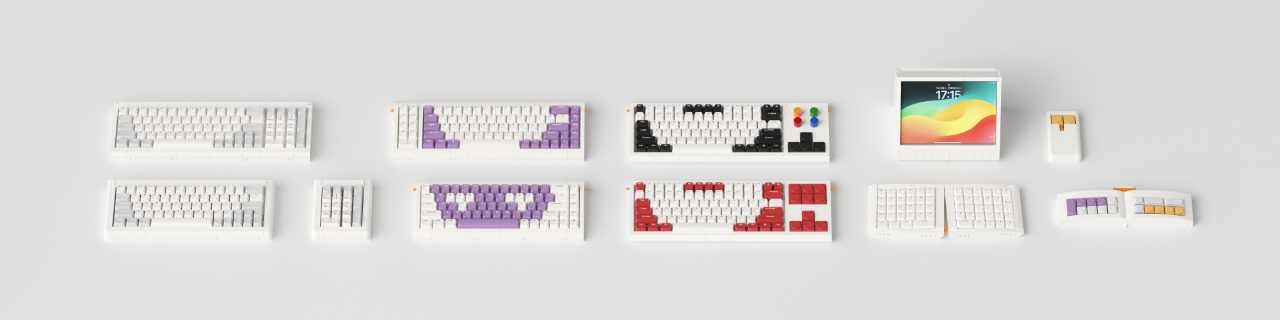
#1 Adam #2 Lilith #3 Sachiel #7 IsRafel #18 Lilin
are hard- & software open-sourced!
| Type | Version | Model | Firmware |
| PCB type-6 | updated 08.04.2025 | Sachiel | 03Sachiel.uf2 |
| PCB type-2 | updated 08.11.2024 | Lilith Q | 02Lilith.uf2 |
| PCB type-4 |
updated 21.09.2024 | IsRafel | 07israfel.uf2 |
|
PCB type-1 |
updated 16.08.2024 |
Adam ANSI, Adam Numpad, Lilin, Lilith ANSI since Sep. 24 |
|
|
PCB type-a (old) |
updated 20.08.2024 | Adam ANSI, Adam Numpad, Lilith ANSI Out of production - Sep. 24 |
|
|
PCB type-b (old) |
updated 20.08.2024 |
Adam Numpad When you merge a Numpad with a 60% board, update it with the larger firmware. |
↑ |
| PCB type-iso 64 keys ISO |
updated 20.08.2024 |
Adam ISO, Adam Numpad, Lilith ISO |
Lilith81.uf2 |
| PCB64 (WM64) |
before June 2023 |
Adam |
PCB64.jason |
|
All PCB |
updated 28.08.2025 | Source Code for Developers | |
| Configurator | QMK | VIAL | |
| Steps to install/update a firmware: | |||
| 1. | Plug out. | ||
| 2. | Press and hold the first button (ESC/Spaceback) on Core64 or (Numlock/-) on Core17. | ||
| 3. | While still holding the button, plug in the cable. | ||
| 4. | A disk drive called "Addams0110" will appear on your system, then release the button. | ||
| 5. | Drag the firmware (.uf2 file) into the storage disk. | ||
| 6. | The PCB will install the firmware and restore the factory settings. | ||